
From campaign goal to follow-up, handled
Run better email drips & voice follow-ups — with less manual work.
Tell AidaReach what your campaign needs to achieve. It creates the email journey, drafts the content, tracks engagement and prepares follow-ups based on what people do.
100 free credits: run one campaign, send to 100 people, make 10 voice follow-up calls.
AI agents that work alone or together
What your AI campaign team can do
Use email and voice follow-ups on their own—or connect them so the right conversation happens at the right moment.
AI Email Drip Campaigns
One goal. A complete email journey, ready to review.
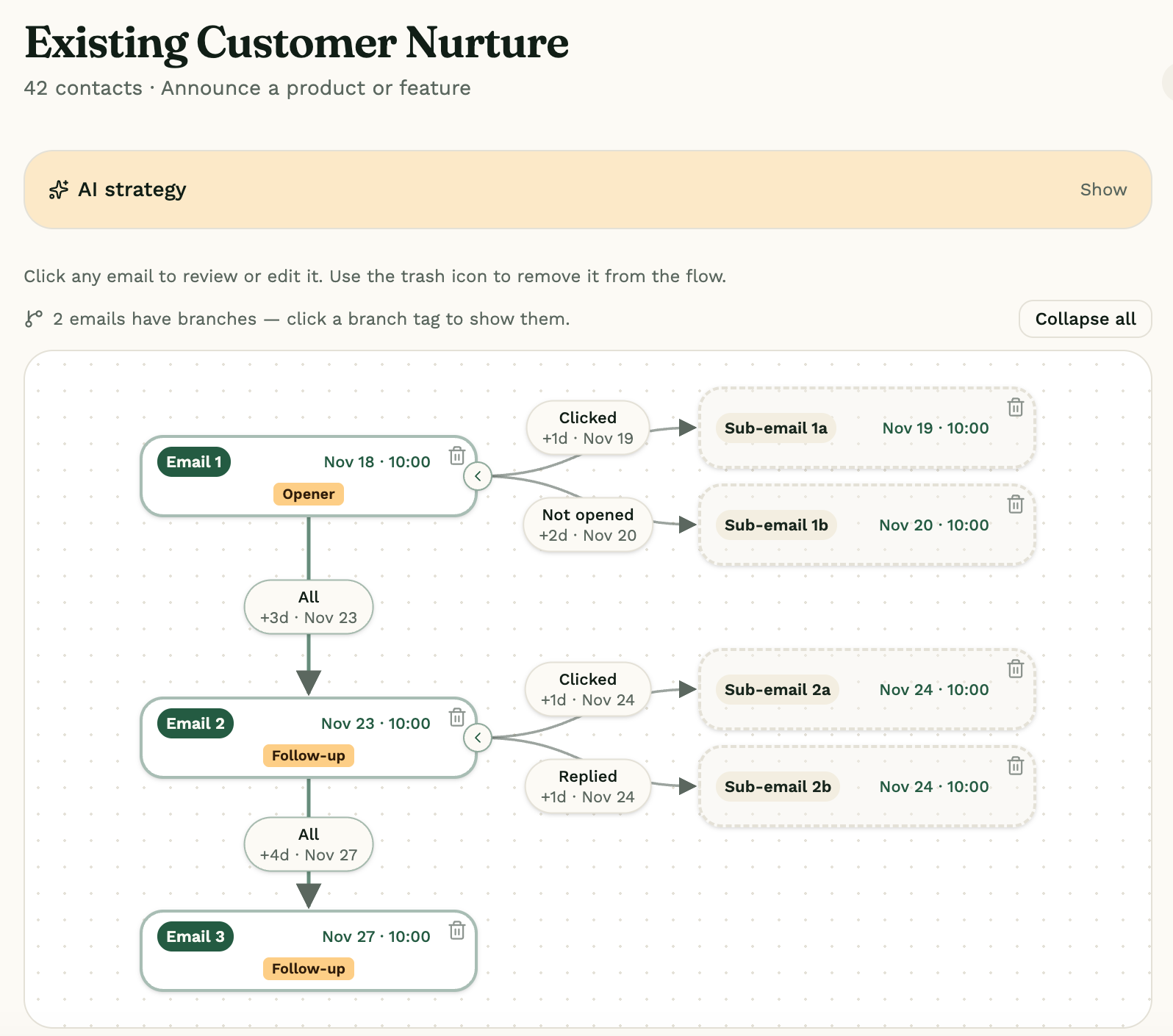
Tell AidaReach who you want to reach and what you want to achieve. It plans the sequence, writes personalized emails and adapts follow-ups to opens, clicks and replies.
- Generate a multi-email campaign from a plain-language goal
- Personalize subjects and copy with any uploaded contact field
- Create branches for opens, clicks, replies and non-opens
- Edit every email, design, call-to-action and send time
- Detect bounces and replies to protect delivery and stop at the right moment
You add: Your goal, audience, brand details and contact list
You get: An editable email flow with personalized content, schedules and follow-up branches
Why you need to change
A drip campaign takes 2–4 days to set up. AidaReach does it in about 15 minutes.
Industry estimates put a typical drip setup at around 15 hours of hands-on work spread over several days. Here's where that time goes, and what changes.
Traditional email tools
~15 hours
- Writing 3–5 emails from scratch4–6 hrs
- Designing and formatting templates3–4 hrs
- Building branches, triggers and waits3–4 hrs
- Testing, personalization and list mapping~2 hrs
AidaReach
~15 minutes
- Type your campaign goal in plain English2 min
- AI writes every email, headline and subjectInstant
- AI builds opened, clicked and replied branchesInstant
- Review, add contacts and launch~10 min
How it works
Five steps, with you approving along the way
- 1
Set the goal
Lead generation, a welcome series, event follow-up and more.
- 2
Review the drip
Reach plans the emails, voice calls and follow-ups. You approve.
- 3
Launch Campaign
Reach sends the approved campaign to your contact list.
- 4
Respond to behavior
Opens, clicks and replies trigger the next email or AI call.
- 5
Review outcomes
Engagement, replies and AI call results in one place.
Why AidaReach
A simpler way to run one campaign workflow
Less setup
Start with the goal instead of a blank automation canvas.
More follow-through
Keep track of engagement and next steps.
Human control
Review content and suggested actions before they go out.
What's next
You run the drips. The marketing support comes next.
Tell us which workflow you need next.
AI Blogger
Research topics, draft for approval and publish to your website.
AI Newsletter
Create newsletters from selected sources and learn from engagement.
AI Social Posts
Create, schedule and report on social content.
Your first campaign is on us
Try AidaReach on your own list.
New accounts start with 100 free credits. That runs one campaign end to end: send it to 100 people and let the AI voice agent make 10 follow-up calls.
No card needed. You review and approve every email before it goes out.
Free credits for new accounts
Before you begin
A few questions, answered.
What do I get in the free trial?
New accounts start with 100 free credits: enough to run one campaign, send it to 100 people and make 10 AI voice follow-up calls. No card is needed.
Do I need to build the campaign automation myself?
No. Describe your goal in plain words and AidaReach plans the email sequence, follow-ups and behavior-based branches. You review the proposed campaign before launching it.
Can I review and edit every email before it goes out?
Yes. You can edit the AI-created subject, headline, body, design and call-to-action. Nothing is sent until you approve and launch the campaign.
What happens when someone opens, clicks or replies?
Opens and clicks can lead contacts into different follow-up branches. A reply stops the automated sequence so you can take over the conversation instead of sending more scheduled emails.
Can I use my own contact lists and custom fields?
Yes. Upload a CSV, map your columns and reuse the saved list in campaigns. Every populated field, including your custom columns, is available for subject and email personalization.
What do I need before sending a live campaign?
Verify your sender domain and add a sender email on that domain. AidaReach checks the sender address against your verified domains so setup issues are caught before launch.
Less campaign busywork. More customer conversations.